Every Game.
One Vault.

Game Vault turns an Xbox Series X|S in Developer Mode into one library for your whole collection. Over 90 systems, from original Xbox and Xbox 360 to PlayStation 3 and Wii U, made for the TV and the controller.

Latest VersionFreeSetup for Windows and Mac
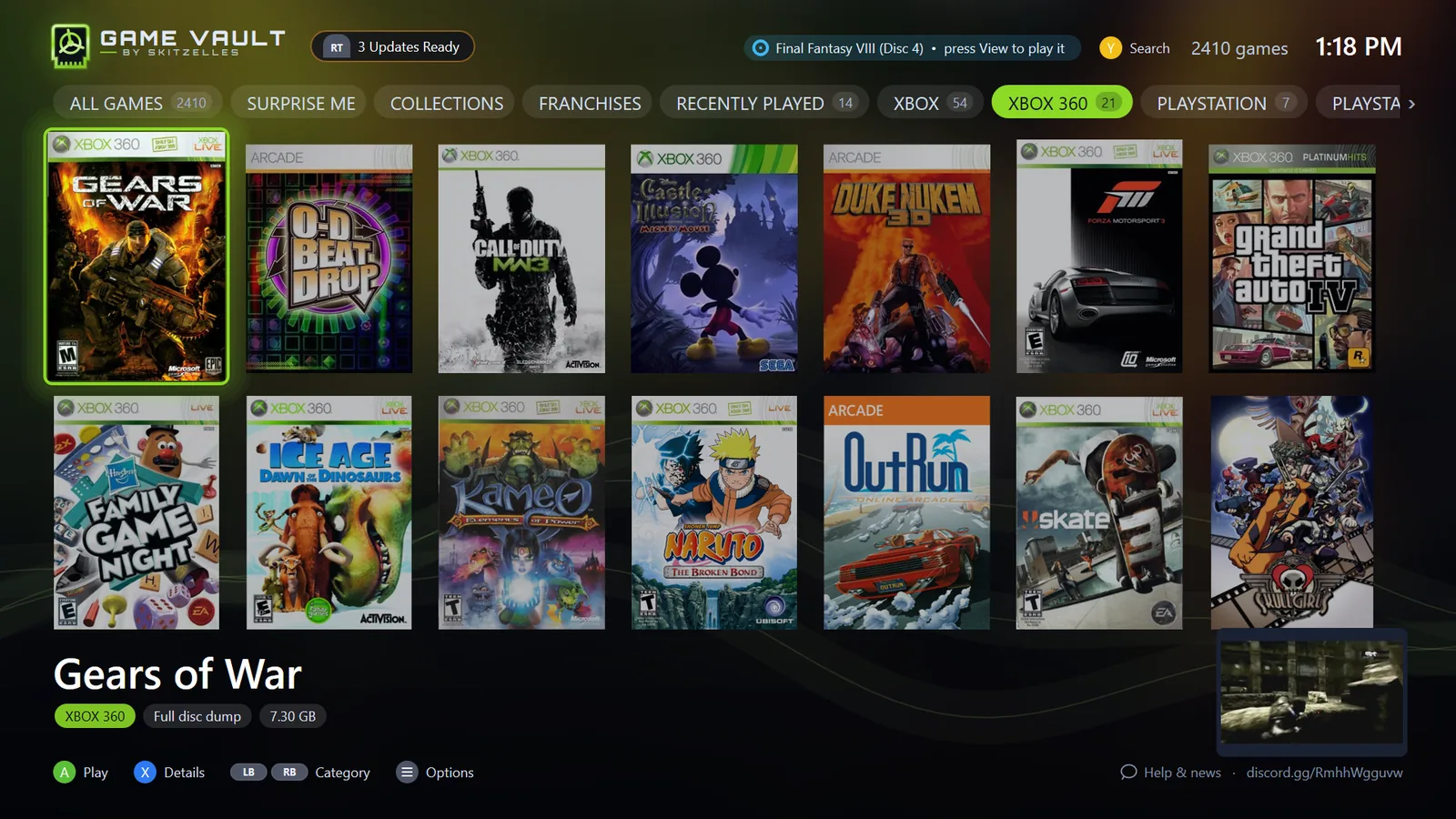
The Game Vault library on the TV, showing the Xbox 360 shelf with Gears of War selected

How It Works

Plug In. Pick. Play.

No folders to set up and no settings files to edit. Game Vault finds your games, names them, fetches the box art and starts each one in the emulator that suits it.

01

Plug In

Any USB drive, any folders, any names. FAT32, exFAT and NTFS all work as they are.

02

Pick

Names and box art fill in by themselves, and every console gets a tab of its own.

03

Play

Press A. The right emulator starts, already set up for the TV and the controller.

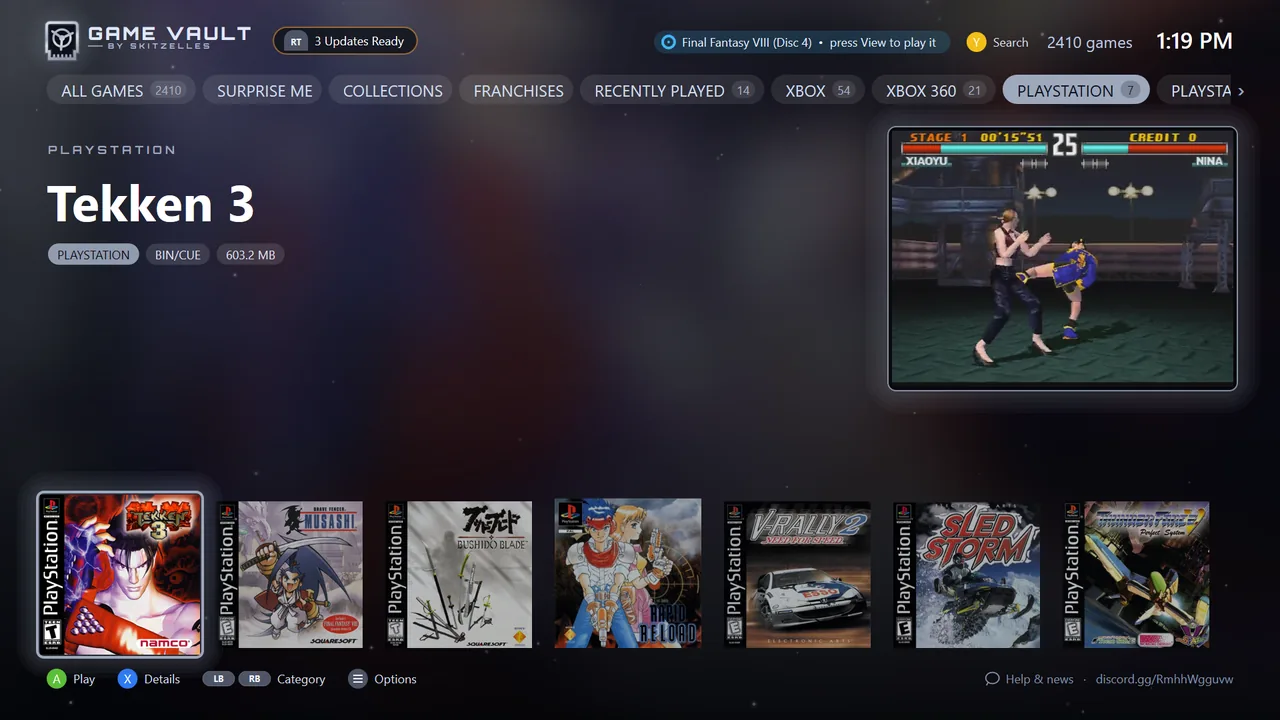
The PlayStation shelf with Tekken 3 selected and a video of the game playing

Your Library

A Look for Every Console

Each console has its own tab, colour and moving background, so every shelf feels like its own. Stop on a game to see its box art and details, and, with game videos turned on, a short clip of it playing.

  • Collections by genre, decade, players and rating
  • Franchises that bring every series together
  • Surprise Me for when you can't decide
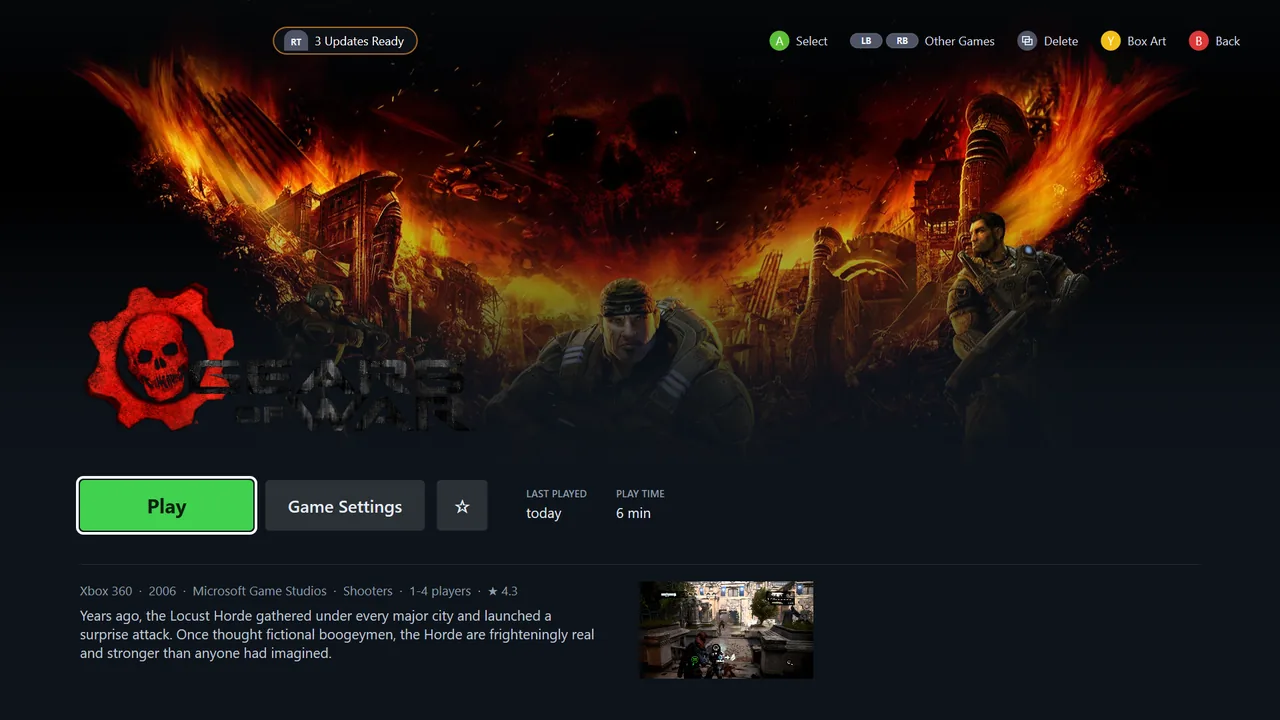
The Gears of War game page with Play, Game Settings, play time and a description

Game Pages

Everything About a Game, One Press Away

Press X on any game to see its artwork, story, year and players, how long you've played it and the settings for that one game. LB and RB move to the next game without going back.

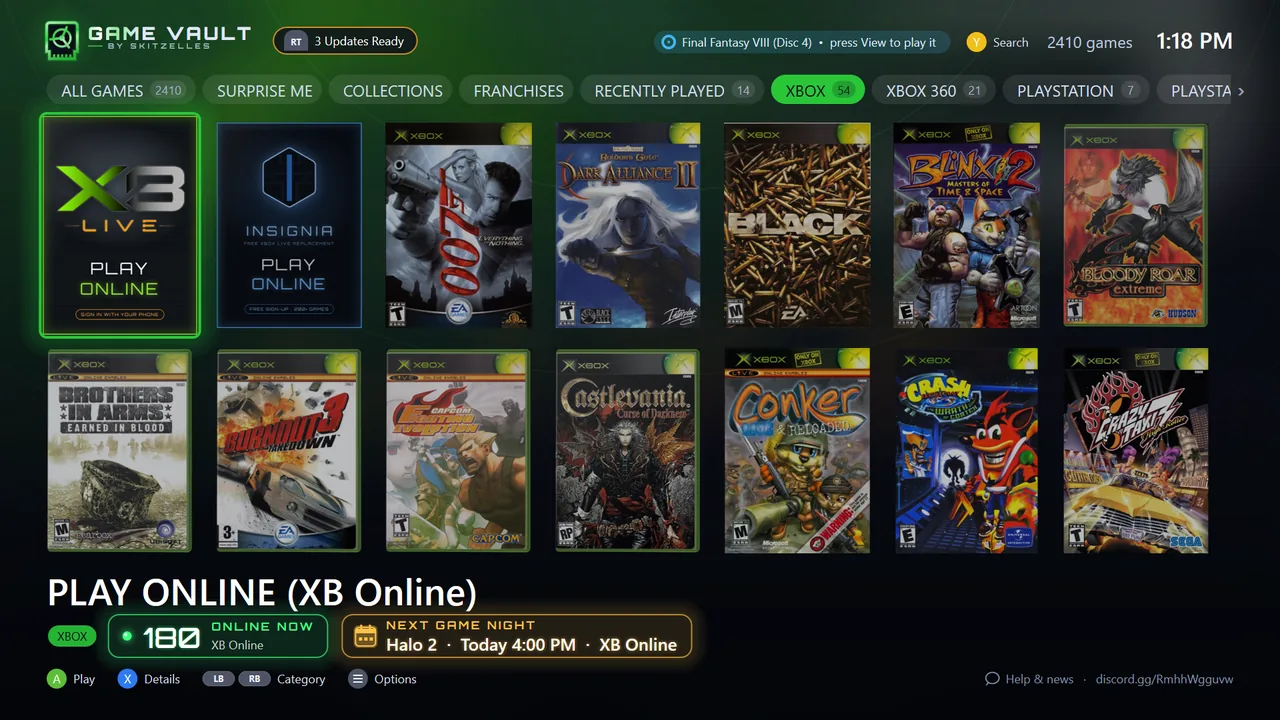
The Xbox shelf with the Play Online card, live player count and the next game night

Online

Original Xbox Online Again

Play original Xbox games online through XB Online or Insignia. Sign in with your phone, then see who's playing and when the next game night starts, right from your library.

And More

Built for the Couch

The little things that make a big collection easy to live with.

Games From Your PC or NAS

Add a network share once and most games play straight from it, with no copying.

Discs From the Drive

Your own PlayStation and PlayStation 2 discs play straight from the Series X disc drive.

Saves on Your Drive

Saves, memory cards and save states live next to your games, and the console keeps a backup copy.

Achievements

Earn RetroAchievements in your classic games. Sign in once with your phone.

Zipped Games Work

ZIP, 7z, RAR and CHD files play as they are. Game Vault reads the files themselves, so nothing gets mixed up.

Update With Your Phone

When an update is ready, press RT and install it with your phone. No PC needed.

Systems

Every System Game Vault Plays

Our own Xbox builds of xemu, Xenia, XBSX2, RPCS3, Dolphin, Cemu, RetroArch and more, each set up for you. Here is the full list, and the app each system plays in.

Xbox

  • xemu for Game VaultOriginal Xbox, with a free BIOS built in
  • Xenia for Game VaultXbox 360, including Games on Demand

PlayStation

  • RetroArch for Game VaultPlayStation
  • XBSX2 for Game VaultPlayStation 2
  • RPCS3 for Game Vault (early)PlayStation 3
  • PPSSPPPSP
  • Game Vault · PS Vita (early)PS Vita

Nintendo

  • Dolphin for Game VaultGameCube, Wii
  • Game Vault · Wii UWii U
  • Game Vault · AzaharNintendo 3DS
  • RetroArch for Game VaultNES, Famicom Disk System, Super Nintendo, Satellaview, Nintendo 64, Game Boy, Game Boy Color, Game Boy Advance, Nintendo DS, Virtual Boy, Pokémon Mini, Game & Watch

Sega

  • Flycast for Game VaultDreamcast
  • Game Vault · YmirSaturn
  • RetroArch for Game VaultGenesis / Mega Drive, Sega CD, 32X, Master System, Game Gear, SG-1000, Sega Pico, Dreamcast VMU

Arcade

  • RetroArch for Game VaultFinalBurn Neo and MAME sets, Neo Geo, Sega Model 3 (beta)
  • Flycast for Game VaultSega NAOMI, NAOMI 2, Atomiswave
  • Dolphin for Game VaultTriforce

More Consoles

  • RetroArch for Game VaultAtari 2600, Atari 5200, Atari 7800, Atari Lynx, Atari Jaguar, PC Engine / TurboGrafx-16, PC Engine CD, SuperGrafx, PC-FX, Neo Geo CD, Neo Geo Pocket, WonderSwan, 3DO, Philips CD-i, Amiga CD32, ColecoVision, Intellivision, Vectrex, Channel F, Watara Supervision, Odyssey 2 / Videopac, Arcadia 2001, Mega Duck, Cassette Vision

Computers

  • RetroArch for Game VaultAmiga, Commodore 64, VIC-20, Plus/4, MSX, ZX Spectrum, ZX81, Atari ST, Atari 800 / XL / XE, Apple II, Macintosh, Amstrad CPC, BBC Micro, Thomson MO/TO, NEC PC-88, NEC PC-98, Sharp X1, Sharp X68000

PC Games

  • RetroArch for Game VaultDOS, ScummVM adventures, Doom, Quake, Wolfenstein 3D, Cave Story, RPG Maker 2000 / 2003, Text Adventures
  • Game Vault · FlashFlash games
  • Game Vault · OpenBOROpenBOR beat 'em ups

Pinball

  • Game Vault · Visual PinballVisual Pinball tables

Homebrew

  • RetroArch for Game VaultPICO-8, TIC-80, CHIP-8, Arduboy, WASM-4, LowRes NX, Vircon32, Uzebox

Also in Your Library

  • Native PortsPorts you've installed yourself get a tab of their own
  • MoonlightStream games from your PC

The newest systems ask the most of the console. Series X is where Game Vault is built and tested; Series S works too. See BIOS Files for the systems that need one, and the Compatibility List for how each game runs.
Get Started

How to Install

A one-time setup from a Windows PC or a Mac puts Game Vault and all of its emulators on the console.

  1. Turn On Developer Mode

    Get the free Xbox Dev Mode app from the Microsoft Store on your Xbox and follow its steps. You can switch back to retail mode at any time.

  2. Turn On the Device Portal

    In Dev Home, turn on the Device Portal and set a user name and password. Make sure a profile is signed in.

  3. Run the Setup

    Download GameVault-Setup.zip and unzip it. On Windows, open Install Game Vault (Windows) (if Windows asks, click More info, then Run anyway). On a Mac (beta), open Install Game Vault (Mac).

  4. Connect to Your Xbox

    Type in the console's address, user name and password. The setup installs Game Vault and its emulators.

  5. Plug In and Play

    Start Game Vault on the console and plug in your USB drive. Your games show up by themselves.

Community

Join the Discord

Questions, tips, game reports and news about what's coming next.